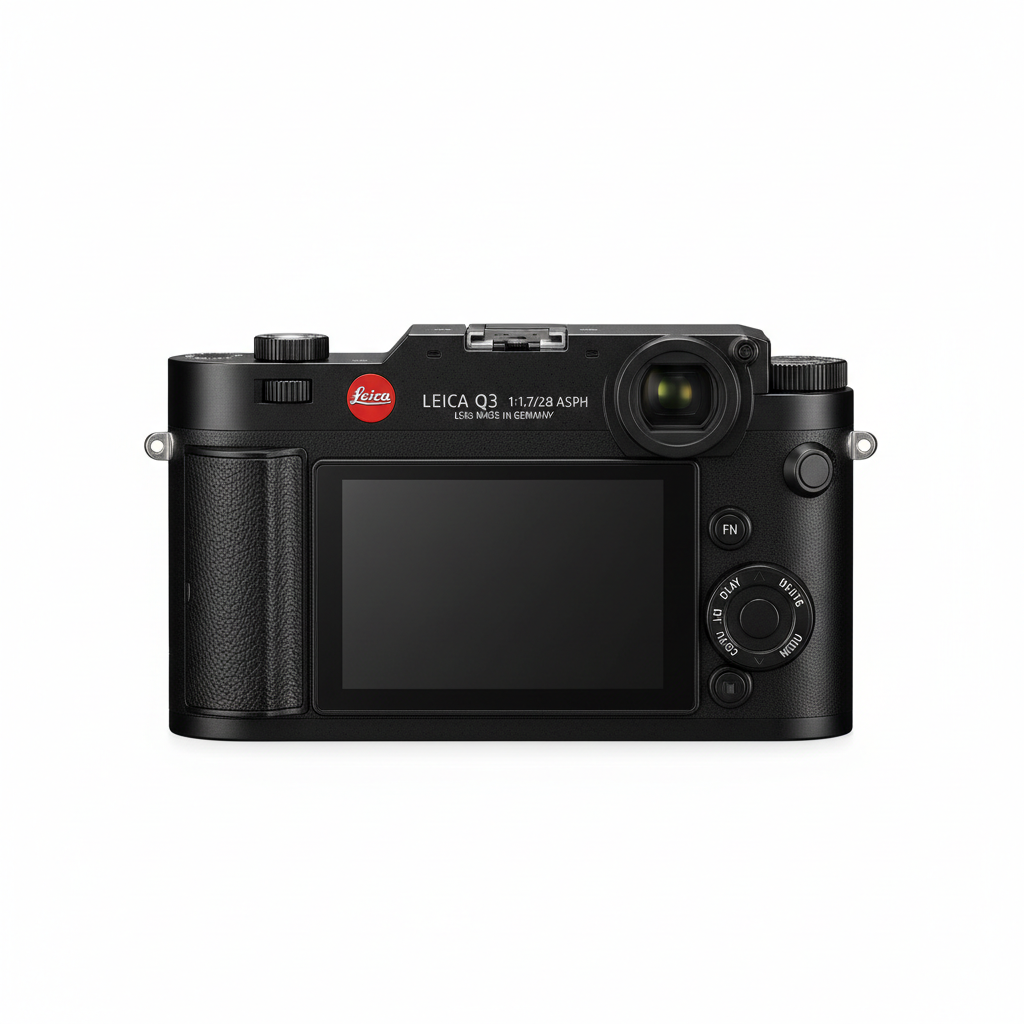
Leica Q3
The ultimate full-frame compact camera experience
Key Features
Camera Capabilities
Click the Links Below for Details
The Most Important Buttons & Dials — Leica Q3
| Control / Button / Dial | Status | Note |
|---|---|---|
| Shutter-release Button | ✓ Present | |
| Mode Dial | ✗ Not Present | Controlled via menu/shutter dial |
| +/- EV (Exposure Compensation) Button | ✓ Present | |
| Dedicated ISO Button | ✗ Not Present | Accessed via menu/Fn button |
| Dedicated Aperture Dial / Ring | ✓ Present | Lens ring |
| Dedicated Shutter Speed Dial | ✓ Present | Top plate dial |
| AF-ON Button | ✓ Present | |
| Main Command Dial | ✓ Present | |
| Sub-Command Dial | ✗ Not Present | |
| Function (Fn) Buttons | ✓ Present | |
| Joystick / Multi-selector | ✓ Present | |
| AF-assist / Self-timer Lamp | ✓ Present | |
| Monitor Mode Button | ✗ Not Present | |
| Video Record Button | ✓ Present | |
| Drive Mode Control | ✗ Not Present | Accessed via menu |
How-to Use Leica Q3
Welcome to the How-to section of the camera. In this Light & Composition University website, each page for a camera has a how-to section and a section for learning. Simply because the buttons and the controls of each camera is located in different places that not only varies for brands but in each model. How-to section help you operate your camera, however, if you are interested to learn photography, not only you need to know how your camera works, but also you must know what you can change and why you do that to get better photo. Click the “Learn” or scroll down.
Leica Q3 Exposure Indicators
| Optimal exposure | Underexposed by 1/3 EV | Overexposed by over 2 EV |
|---|---|---|
|
− . 0 . +
|
− . 0 . +
|
− . 0 . +
|||||||►
|
The key to the photography is light, and it’s the exposure indicators, where you see how much light your camera sensor sees. These indicators both in monitor and viewfinder show whether the photograph would be under or over-exposed at the current setting. The amount of under or overexposure is shown in increments of 1/3 EV.
Learn & Master Photography with Leica Q3
For over a decade, we have been teaching photography following a university standard. No one does it better than us. We have a selection of courses, diplomas, graduate and post-graduate programs, as well as some of our best-selling university press publications, to guide you in the best possible way for your camera. Enroll in the fundamentals and then move to the genres you want to master.
Technical Specification
| Sensor | Full-Frame BSI CMOS |
| Resolution | 60.3 Megapixels |
| ISO Range | 50 - 100,000 |
| Autofocus | Hybrid Phase/Contrast Detection |
| Shutter Speed | 60s to 1/2000s (mechanical), up to 1/16000s (electronic) |
| Burst Rate | 15 fps |
| Video | 8K 30p, 4K 60p |
| Stabilization | Optical (Lens) |
| Viewfinder | 5.76m-dot OLED EVF |
| LCD | 3.0-inch Tilting Touchscreen |
| Memory Card | SD UHS-II |
| Connectivity | USB-C, Micro-HDMI, Wi-Fi, Bluetooth |
| Battery Life | 350 shots |
| Weight | 743g |
| Dimensions | 130 x 80 x 93 mm |